
Telegram中文版 Telegram中文版 Download

Registration and Login

Complete Guide to Telegram Chinese Version Registration and Login

Register and log in with a phone number in a few steps, and solve common problems such as a missing verification code, multi-device login, and number changes and recovery.

0No email needed
Multi-deviceOnline at the same time
Telegram registration and login screen

Telegram login screen

Register and log in with a phone number in a few steps, and solve common problems such as a missing verification code, multi-device login, and number changes and recovery.

Register an account with a phone number

Open the App, enter your phone number in international format (such as +65, +886), receive the verification code, and you can create an account, with no email required.

How do you register a Telegram account? What steps does a first-time user need

Register with a phone number on Telegram: 1) Download the official App and open it; 2) Choose the country code for your region and enter your phone number in international format,

an account can only be bound to a phone number and cannot be created out of thin air with an email. It is recommended to turn on two-step verification after registering to protect the account.
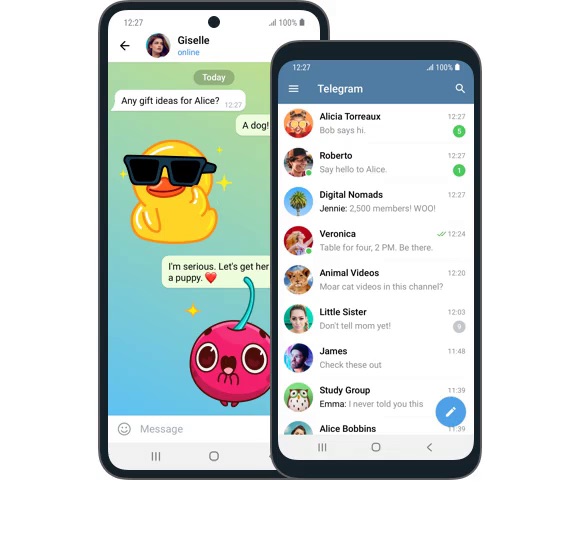
Telegram registration and login screen
Telegram login screen

How to register a phone number on the paper plane app

The paper plane is Telegram, and registration can only use a phone number. After opening the App, choose the country code for your region and enter your phone number,

after filling it in you will receive an SMS verification code, and entering it completes the registration. Note that an account can only be bound to a phone number, does not support landlines, and cannot be created out of thin air with an email.

Does Telegram registration require a phone number? Can you register with an email

A phone number is required, and you cannot register with an email. A Telegram account can only be bound to a phone number (landlines are not supported).

An email is not a means of registration: it is only a backup login method for users who already have an account and log in fairly often, and only after you bind an email under two-step verification will the login code be sent to the email. In other words, without a phone number you cannot create a new account out of thin air. Enter the phone number in international format, such as Singapore +65 and Malaysia +60.

What to do when the verification code does not arrive

Common causes are number format or network issues; you can switch to a Telegram voice call verification code, or try again later.

What to do when the Telegram registration verification code does not arrive

Troubleshoot in order: 1) Confirm that the network can connect stably to the Telegram servers, otherwise the code request cannot be sent at all; 2) Check the country code and number format (for Taiwan +886, drop the leading 0 and start from 9);

note that virtual numbers and numbers from code-receiving platforms are often refused outright by risk controls.

Telegram verification code SMS never arrives, what is the reason

Common causes: 1) The network is not connected to the Telegram servers, so the code request cannot be sent; 2) The country code or number format is filled in wrong; 3) The phone treated it as spam SMS and filtered it into the junk folder;

go through each item accordingly, and if necessary switch to a real physical phone number and try again.

What phone number is more reliable for registering Telegram so the code arrives

The most reliable approach is to use a real physical phone number from your local area, entered in international format: add the country code in front, for example Singapore +65, Malaysia +60, Taiwan +886, Hong Kong +852.

Physical SIM card numbers have the highest success rate for receiving codes. Try not to use virtual numbers, Google Voice, or other numbers without a physical SIM, and do not use numbers from code-receiving platforms, as these are often refused verification codes outright by Telegram risk controls and may even be banned later. Before registering, just confirm that your local carrier does not block international SMS as spam.

Multi-device login and session management

The same account can be signed in on a phone, computer, and web at the same time, and you can view and sign out devices at any time under Active sessions.

Telegram keeps spinning and will not log in, how to solve it

Constant spinning usually means it cannot connect to the Telegram servers, so the code or login request cannot be sent at all.

First check whether your network environment can connect stably to Telegram; in some restricted regions you need a usable network environment or proxy to connect. Telegram officially also provides a built-in MTProto proxy to bypass blocks. Once connected, recheck whether the country code and format of the phone number are correct, and if necessary close and reopen the App and try again. If it still stalls, wait a few minutes to cool down before retrying, and avoid repeatedly tapping which can trigger risk controls.

How to handle not receiving the SMS verification code when registering on tg

Troubleshoot in order: 1) Confirm the network can connect stably to Telegram; 2) Check that the phone number country code and format are correct; 3) Check the spam or blocked messages folder on the phone; 4) For a mainland +86 number, confirm that international SMS reception is enabled;

Telegram login tutorial, how to log in when switching from an old phone to a new one

Install the official Telegram on the new phone and enter the same phone number bound to your account (in international format).

Telegram will send the login verification code to the Telegram on your already signed-in old device (not by SMS); view it on the old device and enter it. Only when the old device is not nearby will it switch to sending an SMS. If you have set a two-step verification password, the final step of login also requires entering that password. Account data is in the cloud, so after logging in the chat history will sync automatically. Telegram also supports login methods such as Passkey (Face ID, Touch ID, PIN).

Change number, deactivate, and recover an account

You can change the bound phone number in Settings, and the account and chats migrate with it; accounts that are not logged in for a long time are deactivated automatically per the self-destruct setting.

Can you register Telegram with a mainland China +86 phone number

Yes, but +86 often does not receive verification codes, and the main reason is not a Telegram fault. Since May 2022, the three major carriers in many areas have disabled reception of international and Hong Kong, Macau, and Taiwan SMS by default,

after enabling it, trying again usually works. The activation command differs across sources, and the most reliable way is to call carrier customer service directly (China Mobile 10086, China Unicom 10010, China Telecom 10001) to confirm activation. If you still receive nothing after enabling, switch to voice or change to a local physical number.

What to do when a Hong Kong phone number does not receive the Telegram verification code

Enter a Hong Kong number in international format with +852 plus the number. If you receive nothing, first check: whether the network can connect stably to Telegram, whether it is in the spam or blocked messages folder, and whether the number format is correct.

Prepaid cards or number ranges flagged for abuse may be blocked by the carrier as international spam SMS, which is a common cause. Do not repeatedly tap resend; triggering risk controls will suspend delivery, so wait 5-10 minutes before retrying, and if locked, wait about 24 hours before trying again. If it still fails, switch to a real physical number, or file an appeal via securetelegram.com/support.

Telegram registration and login screen

Sources: Telegram official FAQ · Telegram official website · Telegram developer platform

FAQ

Registration and Login FAQ

From the registration phone number to the verification code, two-step verification, and account recovery, the answers are gathered here.

I registered Telegram with a Taiwan phone number and never received the SMS, is it restricted?
On Telegram Chinese Version, use the +886 format for a Taiwan phone number, and the number must drop the leading 0 and start directly from 9 (for example 0912... becomes +886 912...). A wrong format is a common cause. Next, the carrier may block the verification SMS as international spam, and prepaid cards may also receive nothing. Trying too many times will lock you for about 24 hours, so it is recommended to try the next day. You can also wait 1-2 minutes and try the Call Me voice option (note that new numbers without two-step verification often cannot use it). If none of this works, switch to a physical phone number or use the official appeal.
Telegram registration shows too many attempts, how long do I wait before I can request a code again?
This is because repeatedly tapping resend triggered risk controls, and Telegram judged it as suspicious activity and suspended delivering verification codes to you. Generally just stop and wait for the cooldown; first wait 5-10 minutes before retrying, and if already locked, it is recommended to wait about 24 hours before trying again, or use the official appeal via securetelegram.com/support. There are also carrier-side limits (some sources say up to about 10 verification codes per number within 24 hours). The key is to stop tapping repeatedly, as the more you tap the longer the lock.
Telegram registration is rate-limited, how long until I can get the verification code again?
Rate limiting is because repeatedly requesting codes in a short time triggered risk controls. For mild cases, waiting 5-10 minutes before retrying usually recovers it; if already locked, it is recommended to wait about 24 hours before trying again. There are also carrier-side limits (some sources say up to about 10 per number within 24 hours). During this time do not keep tapping resend, otherwise the lock will be extended. If it still fails after cooling down, switch to a real phone number, or go to securetelegram.com/support to appeal.
How to troubleshoot not receiving the Telegram verification code when registering on an Android phone?
On Android, check in order: 1) Whether the network can connect stably to Telegram; 2) Whether the phone number country code and format are correct; 3) Look through the spam or blocked messages folder in your SMS; 4) If it is a mainland +86 number, confirm that international SMS reception is enabled; 5) Wait 1-2 minutes and try the Call Me voice option on the registration page (new numbers without two-step verification often cannot use it); 6) Do not tap resend repeatedly, wait 5-10 minutes before retrying, and if locked wait about 24 hours; 7) If it still fails, switch to a real physical number or use the official appeal. It is recommended to install the official package from the website securetelegram.com/android or Google Play.
I keep not receiving the SMS code when registering Telegram on iPhone, what to do?
First confirm you installed the official Telegram (developer Telegram FZ-LLC or Telegram Messenger). Troubleshoot a missing code in order: whether the network can connect stably to Telegram, whether the number country code and format are correct, check the spam or blocked folder, and for mainland numbers confirm international SMS is enabled. After 1-2 minutes you can try the Call Me voice option, but officially voice readout of the code is only available for accounts with two-step verification enabled, so new numbers often cannot use it. Do not repeatedly tap resend to avoid being locked by risk controls; wait a few minutes before retrying, and if locked wait about 24 hours or use the official appeal.
I cannot download Telegram from the App Store on iPhone, how do I register?
Telegram has been removed from the mainland China App Store, and a mainland Apple ID cannot find the official App, because which Apps the App Store shows depends on the Apple ID registration region rather than the device network. The solution is to switch to or register an overseas region (US, Hong Kong, Taiwan, and so on) Apple ID, then search Telegram in the App Store and download it, taking care to verify the developer is the official Telegram FZ-LLC or Telegram Messenger, and not download a counterfeit App with the same-looking icon. After installing, register normally with a local physical phone number in international format.
I forgot the two-step verification password I set during Telegram registration, what do I do?
The two-step verification password is the string of characters you must enter at login in addition to the verification code. If you forget it and you bound a recovery email at the time, you can reset it via the email; without a bound email you can only follow the official process and reset the account after a long security cooldown as prompted. The official side handles this specifically, so it is recommended to go to securetelegram.com/support or use Forgot password on the login page and follow the prompts. A reminder: the materials do not cover the specific reset steps, the above is the general approach, and it needs to be confirmed by actual testing. It is recommended to always bind a frequently used email to two-step verification.
I changed to a new phone number, how do I migrate my old Telegram account over?
Telegram supports rebinding the account to a new phone number, and the account itself and the chat history are in the cloud, so they will not be lost when you change numbers. The method is to log in with the old number, go to the account-related Change Number in Settings, enter the new number and complete verification of the new number, and the binding transfers to the new number, with existing chats, groups, and contacts preserved. The prerequisite is that you can still log in with the old account. A reminder: the materials do not cover the step-by-step path of this menu, the above is the general approach, and it needs to be confirmed by actual testing.
Can you register Telegram in mainland China without a VPN? What to do if it does not open?
In restricted regions such as the mainland, you often need a usable network environment to connect to the Telegram servers, otherwise the verification code request itself cannot be sent, so naturally you cannot register. Telegram officially provides a built-in MTProto proxy to bypass blocks, which makes it hard for carriers to identify Telegram traffic by hiding the IP and obfuscating traffic. Once you can connect stably, register with a local physical phone number in international format. A mainland +86 number also needs international SMS reception enabled first to receive the code.
Telegram will not open and stays connecting, do I need a proxy to register?
Yes; in restricted regions when it cannot connect, the code request cannot be sent so it stays at connecting. You need a usable network environment or proxy to connect. Telegram officially has a built-in MTProto proxy that can bypass blocks; it hides the IP and obfuscates traffic, making it hard for carriers to identify it as Telegram. Once connected, recheck the phone number format and register normally. Note: only use the officially provided proxy mechanism, and do not download a so-called accelerated third-party client to speed things up, as those repackaged builds carry risks of account theft and implanted trojans.
Telegram registration is stuck at connecting and will not get in, how to fix it?
Connecting means the App cannot reach the Telegram servers. First check whether the network is stable; restricted regions need a usable network environment or proxy; the built-in official MTProto proxy can bypass blocks, hide the IP, and obfuscate traffic. You can try switching networks (swap between mobile data and Wi-Fi) and closing and reopening the App. Once connected, recheck the phone number country code and format. Do not repeatedly tap to request the code while not connected, to avoid triggering risk controls. If it still fails, switch network environments or enable the official proxy and try again.
Is the registration process the same for Telegram Chinese Version and the official version? Do they need separate registration?
Exactly the same, no separate registration needed. In fact there is no standalone Telegram Chinese Version App at all; every platform uses the same official client, and the Chinese version just switches the official interface to Chinese. So install the official App, register with a local physical phone number in international format, then go to Settings then Language and switch to Chinese; the account is universal and the process is identical. Never download a so-called Chinese or localized installer, as those are third-party repackaged builds that carry risks of account theft and implanted trojans.
Which Telegram Chinese Version is safe to download so that registering will not get my account stolen?
There is no safe Chinese version to download; officially there is no standalone Chinese version App, and any Telegram Chinese, localized, accelerated, cracked, or Plus enhanced build is basically a third-party repackaged build with risks of account theft, data leakage, and implanted trojans, with real cases of a knockoff channel reaching about 800K subscribers that was essentially a trojan. Only download the official package from the website securetelegram.com (Android securetelegram.com/android, desktop securetelegram.com/desktop) or the legitimate Google Play or App Store, then go to Settings then Language and switch to Chinese after installing. Then enable two-step verification, and do not give your verification code to anyone.
Are the paper plane Chinese version and Telegram the same account? Is login universal?
Paper plane is the Chinese nickname for Telegram, referring to Telegram itself. Officially there is only one client and no standalone paper plane Chinese version, and the so-called Chinese version just switches the official interface to Chinese. So it is the same account and login is universal. It is recommended to download the official App only from the website securetelegram.com or a legitimate app store, then go to Settings then Language and switch to Chinese, and do not download a third-party repackaged build called paper plane Chinese version, as those carry risks of account theft and implanted trojans.
Where do I download from the Telegram official website? How do I install and register the Android apk?
The main official download entry is securetelegram.com, the Android-specific page is securetelegram.com/android, and the desktop is at securetelegram.com/desktop. Android priority: download the APK directly from the website, then Google Play, then for Huawei users search Telegram in AppGallery (the app market). Devices without Google Play can install the APK directly from the website, and after installing it will receive updates automatically from the official source. Do not download from third-party APK sites, which carry risks of counterfeiting, repackaging, and high-risk permissions. After installing, register with a local physical phone number in international format, then go to Settings then Language and switch to Chinese.
Are Telegram registration and login completely free? Will there be hidden charges?
Registering and logging in with the official Telegram is free, downloading the official App from the website or a legitimate app store is also free of charge, and there are no hidden charges. Note: do not download a so-called high-speed downloader, Chinese version, or cracked version, as those third-party repackaged builds may hide trojans, steal accounts, or even create risks. Only trust the website securetelegram.com and legitimate stores. A reminder: receiving the code during registration is itself free, but if your carrier charges separately for international SMS that is carrier policy, unrelated to Telegram, and is subject to your local carrier.
Do I need to add the country code +65 to register Telegram with a Singapore number?
Yes. A Telegram account can only be bound to a phone number, and the phone number must be entered in international format: +country code immediately followed by the number. The country code of Singapore is +65, so enter +65 followed by your 8-digit phone number. The registration page usually has you choose the country or region first, and choosing Singapore typically fills in +65 automatically, so you only need to enter the rest of the number. A wrong format (such as omitting the country code or adding an extra 0) will report the number as invalid. Note that you can only use a real physical card, as virtual numbers are often refused by risk controls.
What to do when registering Telegram with a Malaysia Maxis or Digi number does not receive the OTP?
First confirm the number is entered in international format with +60 (drop the leading 0 of the local number). Check the spam or blocked messages folder on the phone, as the carrier sometimes blocks overseas verification SMS as international spam. Do not tap resend repeatedly, which will trigger Telegram risk controls and suspend delivery, so wait 5-10 minutes before retrying. Wait a minute or two and see whether the registration page has a Call Me voice option (note that officially voice readout is only available for accounts with two-step verification enabled, so new numbers usually do not have it). Prepaid cards or number ranges flagged for abuse may also receive nothing, so switch to a real physical card or file an appeal via securetelegram.com/support.
Is it normal for a Thailand AIS SIM to not receive the Telegram verification code?
Occasionally not receiving it is common and is usually not a Telegram fault. First confirm the number is entered in international format with +66 (drop the leading 0). The carrier may block overseas verification SMS as international spam, so look through the spam or blocked messages folder. Do not repeatedly tap resend in a short time, as repeated sending will trigger risk controls and suspend delivery, so wait 5-10 minutes before retrying, and if locked wait about 24 hours before coming back. You can also wait a minute or two and try the Call Me voice option (officially voice readout is only for accounts with two-step verification, so new numbers usually cannot use it). If it still fails, switch to a real physical card.
How to solve a Vietnam phone number not receiving the SMS verification code when registering the paper plane?
First change the number to international format with +84 (drop the leading 0 of the local number). Check the spam or blocked messages folder on the phone, as the local carrier often blocks overseas verification SMS as international spam. Do not tap resend repeatedly, which will trigger Telegram risk controls and suspend delivery, so wait 5-10 minutes before retrying; if already locked, wait about 24 hours before trying again. You can wait a minute or two and see whether there is a Call Me voice option (officially voice readout is only available for accounts with two-step verification, so new numbers often cannot use it). Prepaid or virtual numbers easily receive nothing, so it is recommended to use a real physical card, and if it still fails file an appeal via securetelegram.com/support.
What to do when an Indonesia number keeps showing invalid number when registering Telegram?
An invalid number is basically a format problem. Telegram requires international format: the country code of Indonesia is +62, and when filling in the number you must drop the leading 0 of the local notation (for example 0812 should be entered as +62 812). On the registration page first choose the country as Indonesia, let it fill in +62 automatically, then only enter the rest of the number; do not enter the country code again or keep the leading 0. Confirm it is a phone number and not a landline (landlines are not supported). If the format is all correct but it still shows invalid, the number range may be flagged for abuse or it is a virtual number, so switch to a real physical card and try again.
How to handle a Philippines Globe or Smart card not receiving the code when registering Telegram?
First confirm the number is entered in international format with +63 (drop the leading 0). Check the spam or blocked messages folder on the phone, as the carrier may block overseas verification SMS as international spam. Do not repeatedly tap resend in a short time, as repeated sending will trigger Telegram risk controls and suspend delivery, so wait 5-10 minutes before retrying, and if locked wait about 24 hours before coming back. You can wait a minute or two and see whether there is a Call Me voice option (officially voice readout is only for accounts with two-step verification, so newly registered numbers usually do not have it). Prepaid cards or number ranges that have been reported also easily receive nothing, so switch to a real physical card or file an appeal via securetelegram.com/support.