
Telegram中文版 Telegram中文版 Download

Chinese Setup

Telegram Chinese Version Localization and Chinese Setup Tutorial

A step-by-step guide to switching the interface to Simplified Chinese, with a clear explanation of input, fonts, translation, and Simplified-Traditional switching.

Telegram Chinese Interface Setup

Telegram Chinese Interface

A step-by-step guide to switching the interface to Simplified Chinese, with a clear explanation of input, fonts, translation, and Simplified-Traditional switching.

How to change the interface to Chinese

Go to Settings > Language, select Simplified Chinese, built in officially across all platforms, with no localization pack needed.

How to set telegram to a Chinese interface

Since April 17, 2026, the official Telegram app has built in Simplified and Traditional Chinese.

First update the app to the latest version, then open Telegram > Settings (gear in the bottom right on phone, the three-line menu in the top left on computer) > Language > select Simplified Chinese or Traditional Chinese, with no third-party language pack or external link needed at all. If your version still has no Chinese in the list after updating, apply it with the official language pack deep link t.me/setlanguage.

Telegram Chinese Interface Setup
Telegram Chinese Interface

Just downloaded telegram and it is all in English, how to change it to Simplified Chinese

First update the app to the latest version, because the official app has built-in Chinese since April 2026.

Then open Telegram > Settings (gear in the bottom right) > Language > select Chinese (Simplified), and some clients need a restart after selecting. If there is still no Chinese in the language list after updating, you can use the official deep link https://t.me/setlanguage/zh-hans-beta: send it to any chat or your Saved Messages, tap it again, and tap Apply in the pop-up to take effect.

telegram has no Chinese option by default, how can I bring up Chinese

Old versions indeed have no Chinese by default, but the official app has built-in Simplified and Traditional Chinese since April 2026; first update the app to the latest version, then go to Settings > Language to see whether Simplified Chinese or Traditional Chinese appears, and if so just select it.

If there is still none after updating, bring it up with the official language pack deep link: send https://t.me/setlanguage/zh-hans-beta to any chat or Saved Messages, tap it, and tap Apply Language in the pop-up to switch to Simplified Chinese. This mechanism is provided by the official securetelegram.com, and the link itself is safe.

Chinese Setup Steps on Each Platform

The paths on Android, iPhone, and computer are basically the same, all switched under Settings > Language, and the interface becomes Chinese after a restart.

Open Settings

Enter Settings from the bottom or side menu.

Enter Language

Find the Language item.

Select Simplified Chinese

Select Simplified Chinese, and the interface changes to Chinese immediately.

Which is the telegram Chinese language pack link, is it safe

The commonly used official Simplified Chinese deep link is https://t.me/setlanguage/zh-hans-beta ;

This setlanguage mechanism is provided by the official securetelegram.com, the link itself is safe, the pop-up shows translation progress when opened, and it takes effect when you tap Apply/CHANGE. What is truly risky is not these links, but the third-party Chinese version or localized APKs and counterfeit language pack channels, which hide trojans and steal accounts, so be sure to avoid them.

How to change paper airplane to display in Chinese

Paper airplane is Telegram. The official app has built-in Simplified and Traditional Chinese since April 2026; first update to the latest version, then open Settings (Settings,

If there is still no Chinese in the list after updating, use the official deep link: send https://t.me/setlanguage/zh-hans-beta to any chat or Saved Messages, and after tapping it tap Apply in the pop-up to take effect. This mechanism is provided officially, and the link is safe.

How to import a telegraph Chinese language pack

There is no need to manually import a file; Telegram applies language packs in one tap via official deep links. For Simplified Chinese, send https://t.me/setlanguage/zh-hans-beta to any chat or your S

For Taiwan Traditional use .../taiwan, for Hong Kong Traditional use .../zh-hant-raw. This mechanism is provided by the official securetelegram.com and is safe. In addition, the official app has built-in Chinese since April 2026, and after updating you can also select it directly under Settings > Language.

Chinese Input, Fonts, and Translation

You can use the system Chinese input method normally, and built-in translation can translate foreign-language messages into Chinese in one tap.

Where is the telegram localization tutorial, can I just follow it to make it Chinese

The localization steps for the Telegram Chinese Version are simple: 1) update the app to the latest version (the official app has built-in Simplified and Traditional Chinese since April 2026); 2) go to Settings > Language > select Simplified Chinese or Traditional Chinese.

If there is no Chinese in the list, send the official deep link https://t.me/setlanguage/zh-hans-beta to any chat and tap it again, then tap Apply in the pop-up. Reminder: many localization pack or localized version download offers online are third-party repackages that hide trojans and steal accounts, so do not follow that kind of tutorial to download installation packages; just using the official setlanguage deep link is enough.

How does tg become Chinese step by step, are there steps a beginner can understand

Three steps: Step one, update Telegram to the latest version (the official app has built-in Chinese since April 2026).

Step two, tap the gear in the bottom right to enter Settings, and find Language. Step three, select Chinese (Simplified), and restart the app when needed. If you do not see a Chinese option in step two, send this official link https://t.me/setlanguage/zh-hans-beta to any chat or your own Saved Messages, tap it, and tap Apply in the pop-up to make it Chinese.

There is only English in telegram settings, how do I find the language option

In the Telegram Chinese Version, tap the gear icon in the bottom right to enter Settings, scroll down to find an item called Language (the icon is usually a globe or the letter A), and tap into it for the language list.

After updating the app to the latest version, Chinese (Simplified) should be selectable in the list. If you still cannot find Chinese in the list after updating, use the official deep link: send https://t.me/setlanguage/zh-hans-beta to any chat or Saved Messages, tap it, and tap Apply in the pop-up to switch to Chinese.

Simplified-Traditional Switching and Language Packs

You can switch between Simplified and Traditional Chinese in the language settings, and also load language packs provided by the official translation platform.

Can telegram display Simplified Chinese directly or must a language pack be installed

It can be displayed directly now. Since April 17, 2026, the official Telegram app has built in Simplified and Traditional Chinese; after updating the app to the latest version, go to Settings > Language and select Simplified Chinese directly,

Whether it is built in is judged by whether Chinese appears in your own device Settings > Language list. In case your version does not have it yet, the old official language pack deep link https://t.me/setlanguage/zh-hans-beta can still be used.

How to set Chinese for telegram on an Android phone

First update Telegram to the latest version (the official app built in Simplified and Traditional Chinese since April 2026).

Then tap the gear in the bottom right to enter Settings > Language > select Simplified Chinese or Traditional Chinese. If there is no Chinese in the list, send the official deep link https://t.me/setlanguage/zh-hans-beta to any chat or Saved Messages, tap it, and tap Apply in the pop-up to take effect. It is recommended to install the official package from the official site securetelegram.com/android or Google Play, and not to use a third-party Chinese version APK.
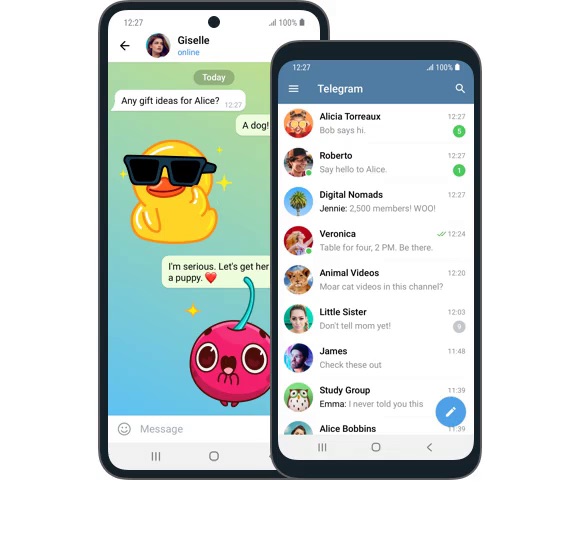
Telegram Chinese Interface Setup

Sources: Telegram Translation Platform · Telegram Official FAQ · Telegram Official Site

FAQ

Chinese Setup FAQ

Answers gathered on switching to Chinese, Simplified-Traditional, fonts, translation, and language packs.

How do I change the telegram on iPhone to a Chinese interface?
First update Telegram to the latest version in the App Store (the official app built in Simplified and Traditional Chinese since April 2026). Then open Telegram > Settings (Settings, gear in the bottom right) > Language > select Simplified Chinese or Traditional Chinese. If there is still no Chinese in the list after updating, send the official deep link https://t.me/setlanguage/zh-hans-beta to any chat or Saved Messages, tap it, and tap Apply in the pop-up. Note: make sure what is installed is the official Telegram (developer Telegram FZ-LLC / Telegram Messenger).
What do I do if I cannot find the Language option in the telegram settings on an Apple phone?
First update the app to the latest version; older versions may not have built Chinese into the list. After entering Settings (Settings, gear in the bottom right), scroll down to find the Language item. If you really cannot find a Chinese item, use the official deep link to bypass the menu directly: send https://t.me/setlanguage/zh-hans-beta to any chat or your Saved Messages, tap it, and tap Apply Language in the pop-up to switch to Simplified Chinese. This setlanguage mechanism is provided by the official securetelegram.com and is safe. For Taiwan Traditional use .../taiwan, for Hong Kong Traditional use .../zh-hant-raw.
How do you set telegram to Traditional Chinese for Taiwan users?
The Telegram Chinese Version has two methods. One is, after updating to the latest version, go to Settings > Language and select Traditional Chinese directly (built in officially since April 2026). The other is to use the official Traditional Chinese language pack deep link: for Taiwan wording select https://t.me/setlanguage/taiwan or zh-hant-beta (about 99% translated, wording leaning toward Taiwan); if the recipient is used to Hong Kong Cantonese wording, select https://t.me/setlanguage/zh-hant-raw. Send the link to any chat and tap it, then tap CHANGE/Apply in the pop-up to take effect; some clients need a restart.
How do you operate the telegram Traditional Chinese setting?
In the Telegram Chinese Version, first update the app to the latest version, go to Settings > Language to see whether there is Traditional Chinese, and if so select it directly (built in officially since April 2026). If not, use the official Traditional Chinese deep link: for Taiwan wording select https://t.me/setlanguage/taiwan or zh-hant-beta, for Hong Kong Cantonese or local wording select https://t.me/setlanguage/zh-hant-raw, both about 99% translated. Send the link to any chat or Saved Messages, tap it, and tap CHANGE/Apply Language in the pop-up to take effect; some clients need a restart. You can change back anytime under Settings > Language.
Does telegram officially support Simplified Chinese now or not?
It does support it. On April 17, 2026, the official Telegram app built in Simplified and Traditional Chinese without warning; this is the first official Chinese support in 13 years of development. After updating the app to the latest version, go to Settings > Language and you can select Simplified Chinese or Traditional Chinese directly, with no third-party language pack or external link needed at all. The most stable way to judge is to see whether Chinese appears in your own device Settings > Language list. Even if your version is not updated yet, the old official language pack deep link can still be used.
Why is there no response when I tap the Chinese language pack link in the Telegram Chinese Version?
First confirm you are opening the link inside Telegram, not in a browser; the setlanguage deep link must be handled by the Telegram app to pop up. The most stable approach is to send the link (such as https://t.me/setlanguage/zh-hans-beta) to any chat or your own Saved Messages, then tap it in the app, and after the pop-up shows translation progress tap Apply/CHANGE to take effect; some clients need a restart. It may also be that your version already has built-in Chinese, so going directly to Settings > Language to select Simplified Chinese is easier. Be sure to use only links from the official securetelegram.com.
Is the telegram language pack link not opening because it is blocked?
It is most likely not that the link is blocked individually, but that you cannot connect to Telegram at all. The setlanguage deep link only takes effect when handled by the Telegram app, and tapping it naturally gives no response when the app cannot connect to servers. First confirm you can connect to Telegram stably; restricted regions need a usable network environment or proxy (the official built-in MTProto proxy can bypass blocking). After connecting, send the official link to a chat and then tap it. In addition, the official app now has built-in Chinese, so after updating to the latest version go directly to Settings > Language and select Simplified Chinese, and you no longer need to rely on the link.
What do I do if tapping Language in the telegram settings has no Chinese item?
Since April 17, 2026, the official app has built in Simplified and Traditional Chinese; first update the software to the latest version, then go to Settings > Language, and you can usually see Simplified Chinese and Traditional Chinese. If there is still no Chinese in the list after updating, you can switch to the official deep link: send https://t.me/setlanguage/zh-hans-beta to any chat or your own Saved Messages, and after opening it select Apply / CHANGE to apply the Simplified language pack; some clients need one restart. The whole process goes through the official securetelegram.com, with no need to install any third-party localization pack.
Will the telegram Chinese language pack steal the account, is using third-party localization safe?
The official t.me/setlanguage deep link language pack is safe; the risk lies in third-party Chinese version, localized, or cracked installation packages and counterfeit localization channels. Hackers have impersonated a Telegram Simplified Chinese translation group to spread poisoned language packs, with the counterfeit channel subscriptions once as high as around 800K; such files silently plant trojans, remote control, and account-theft components while localizing. Safe practice: download the app itself only from the official site securetelegram.com or the App Store / Google Play, localize only by tapping the official t.me/setlanguage link, enable two-step verification, and do not send your login verification code to anyone.
Should I download a dedicated telegram Chinese version or download the official version and then set Chinese?
You should download the official version and then set Chinese. There is no separate Telegram Chinese Version client at all officially; every platform uses the same official software, and Chinese Version only means switching the interface to Chinese. Most of those online that call themselves Chinese version, localized, or accelerated are third-party repackages, carrying the risk of planted trojans and account theft. The correct approach: download the official app itself from the official site securetelegram.com (or the App Store / Google Play), and after installing go to Settings > Language and select Simplified Chinese; the official app has built-in Simplified and Traditional Chinese since April 2026.
How do you set the telegraph Chinese version, which characters does Chinese appear as in the menu?
Open Telegram > go to Settings (Settings, the gear in the bottom right on phone, the three-line menu in the top left on desktop) > Language > select Chinese (Simplified) or Chinese (Traditional) in the list, and the corresponding English labels are Chinese (Simplified) and Chinese (Traditional). Since April 17, 2026, the official app has built in Simplified and Traditional Chinese, and there is no need to tap any external link after selecting. If there is no Chinese in the list for now, send https://t.me/setlanguage/zh-hans-beta to a chat and tap it to apply the Simplified pack.
Is changing telegram to Chinese free or do you need to activate membership to use it?
Changing to Chinese is completely free and has nothing to do with membership at all. Language setting is a basic feature built into the software; go to Settings > Language and select Simplified Chinese; the official app has built-in Simplified and Traditional Chinese since April 2026, and the official t.me/setlanguage language pack used before is also free. Telegram Premium (membership) only unlocks extra privileges such as larger files and more features, unrelated to the interface language, and you can use Chinese the same without activating membership.
Where do you tap to apply the Chinese language pack of the Android version of telegram?
In the Telegram Chinese Version, the simplest approach: first open Settings > Language and see whether there is Chinese (Simplified) in the list, and if so just select it. If not, apply the language pack with the official deep link, send the link (such as https://t.me/setlanguage/zh-hans-beta) to any chat or your own Saved Messages, then tap it, and the app will pop up showing translation progress; tap Apply Language to take effect, and some versions need a restart. This setlanguage mechanism is provided officially, and the link itself is safe.
How do you switch the Windows computer version of telegram to Chinese?
Open Telegram, tap the three-line menu in the top left to enter Settings > Language, and select Chinese (Simplified) in the list; some versions need a restart after switching. If there is no Chinese item in the list, use the official deep link: send https://t.me/setlanguage/zh-hans-beta to any chat or Saved Messages, tap it, and tap Apply Language in the pop-up to apply. This deep link is provided by the official securetelegram.com and is safe to use.
How do you set Simplified Chinese for the telegram desktop version on Mac?
Open Telegram, enter Settings > Language, select Chinese (Simplified), and restart the application if necessary. If there is no Chinese in the list for now, use the official deep link: send https://t.me/setlanguage/zh-hans-beta to any chat or your own Saved Messages, and after opening it tap Apply Language in the pop-up to take effect. When installing, remember to download the .dmg from securetelegram.com/desktop, double-click it, and drag the Telegram icon into the Applications folder.
Can the telegram on iPad also be changed to Chinese, are the steps the same?
Yes, the steps are the same as on the phone. Open Telegram, enter Settings (Settings, gear icon) > Language, and select Chinese (Simplified) or Chinese (Traditional). If there is no Chinese in the list, use the official deep link: send https://t.me/setlanguage/zh-hans-beta to any chat or Saved Messages, then tap it, and tap Apply Language in the pop-up to apply. iPad and iPhone use the same official app, and the path to switch languages is exactly the same.
Can the telegram web version set a Chinese interface?
Yes. The web version (WebA / WebK) is an official client like other platforms; enter Settings > Language and select Chinese (Simplified). If there is no Chinese item in the list, you can likewise use the official deep link: in the web version send https://t.me/setlanguage/zh-hans-beta to Saved Messages and then tap it to apply. The logic of switching languages is consistent across all platforms, and the deep link is provided by the official securetelegram.com and is safe to use.
A Huawei phone has no Google services, can telegram still install a Chinese language pack?
Yes, language setting has nothing to do with whether there are Google services. Huawei users can download the official APK directly from the official site securetelegram.com/android and install it (or search Telegram in the Huawei AppGallery), and after installing it will automatically receive updates from the official source. After opening, go to Settings > Language and select Chinese; if there is no Chinese in the list, use the official deep link https://t.me/setlanguage/zh-hans-beta, send it to a chat, and tap Apply. Note: do not download packages from third-party APK sites, which carry the risk of being repackaged with planted trojans.
Hong Kong people who use telegram want to see Traditional Chinese, which language pack do they choose?
In the Telegram Chinese Version, Hong Kong people are advised to use the Hong Kong Traditional pack https://t.me/setlanguage/zh-hant-raw, which contains Cantonese and Hong Kong local wording and is about 99% translated. If you are more used to Taiwan wording, you can also use the Taiwan Traditional pack https://t.me/setlanguage/taiwan or zh-hant-beta. The operation is to send the link to any chat or Saved Messages, tap it, and then tap CHANGE / Apply in the pop-up to apply, restarting if necessary. You can change back to another anytime under Settings > Language.
Are the telegram Simplified and Traditional Chinese language packs different links?
Yes, the Simplified and Traditional of the Telegram Chinese Version are different language pack links, and Traditional is further separated by Hong Kong and Taiwan. Simplified commonly uses https://t.me/setlanguage/zh-hans-beta; Taiwan Traditional uses https://t.me/setlanguage/taiwan or zh-hant-beta (Taiwan-style wording); Hong Kong Traditional uses https://t.me/setlanguage/zh-hant-raw (with Cantonese wording). Pick any one, send it to a chat, and open it to apply; you can change back or switch to another anytime under Settings > Language.
I installed the Traditional Chinese language pack in the Telegram Chinese Version and want to switch back to Simplified, how do I change it?
In the Telegram Chinese Version it is very simple and can be changed anytime. Just open Settings > Language, and if there is Chinese (Simplified) in the list select it directly. If there is none in the list, use the official Simplified deep link: send https://t.me/setlanguage/zh-hans-beta to any chat or your own Saved Messages, tap it, and tap Apply Language in the pop-up to take effect; some versions need a restart. The language can be switched repeatedly without affecting the account or chat history.
What is the difference between the telegram official Chinese and a third-party localized language pack?
The key difference is in source and safety. The language pack applied by the official deep link t.me/setlanguage is provided by the official securetelegram.com, and the link itself is safe; packs such as Simplified are maintained by community crowdsourcing on the official translation platform translations.telegram.org, a compliant method tacitly permitted officially. The third-party Chinese version or localized APKs and counterfeit language pack channels are where the risk lies; hackers have impersonated a Simplified Chinese translation group to spread poisoned language packs, with subscriptions once as high as around 800K, silently releasing trojans to steal accounts. Localize only with the official deep link, and download the app itself only from the official site.